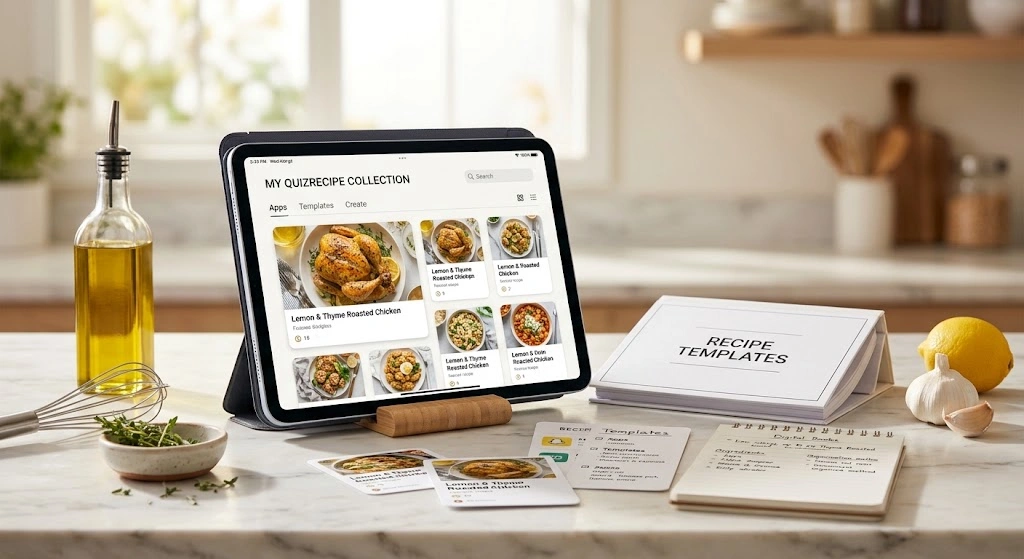
Discover the best digital recipe book format for everyday cooking, meal planning, iPad use, handwritten family recipes, and long-term preservation.
A digital recipe book gives you one place to save, organize, edit, and cook from your favorite recipes. It can be a recipe app, a searchable database, a hyperlinked PDF, a tablet notebook, or a beautifully designed family cookbook.
The best choice depends on how you cook. If you save recipes from websites and social media, a recipe-management app can save time. If you prefer handwriting on an iPad, a digital PDF recipe book may fit better. If you’re preserving Grandma’s handwritten cards, a family digital cookbook can combine scans, photos, stories, and recipes.
This guide explains the different formats, how to choose one, how to digitize old recipes, and how to build a collection you’ll actually use.
Quick Answer: What Is a Digital Recipe Book?
A digital recipe book is a collection of recipes stored electronically instead of only on paper. You can keep it on a phone, tablet, computer, cloud service, recipe app, or digital notebook.
For everyday cooking, a recipe app is usually the most practical choice. For handwriting and visual design, a PDF or tablet template works well. For family preservation, a digital cookbook with scanned cards and photos can be the better option.
Which Digital Recipe Book Format Is Best for You?
The right format depends more on your cooking habits than on how attractive the template looks. Start by deciding whether your priority is cooking, organizing, planning, or preserving recipes.
A person who cooks every night needs different tools from someone creating a family keepsake. Choosing the format first can prevent hours of moving recipes between systems later.
| Your Main Goal | Best Fit | Why |
|---|---|---|
| Save recipes from websites | Recipe app | Fast importing and searching |
| Cook from a large collection | Recipe manager | Filters, categories, and search |
| Handwrite notes | Digital PDF + note-taking app | Natural tablet annotation |
| Build a beautiful cookbook | Designed PDF or cookbook platform | Strong visual presentation |
| Preserve family recipes | Digital family cookbook | Combines scans, photos, and stories |
| Plan weekly meals | Recipe app or database | Recipes can connect with meal plans |
| Build a flexible database | Notion-style template | Custom fields and views |
| Print a physical cookbook later | Designed digital cookbook | Easier to format for printing |
Choose an App for Everyday Cooking
A recipe-management app makes the most sense when you constantly save new recipes. Search, folders, tags, importing, meal planning, and shopping features can keep a large collection manageable.
Several current apps support importing recipes from websites and social platforms, while some also offer scanning or photo-based recipe entry.
Useful Features to Look For
Importing
Website and supported social-media importing can reduce manual typing.
Search & Filters
Find recipes by ingredients, cuisines, meals, categories, or tags.
Meal Planning
Organize recipes into weekly meals and make dinner planning easier.
Shopping Lists
Turn planned recipes into grocery tasks when the system supports it.
Serving Adjustment
Useful when you regularly cook for different numbers of people.
Cloud Sync
Keep recipes available across supported phones, tablets, and computers.
Offline Access
Helpful when internet access is unreliable while you’re cooking.
Backup & Export
Important for protecting a collection you’ve spent years building.
Current examples include CookBook, which says it can import recipes from social platforms, websites, photos, and cookbooks, and RecipeSage, which supports recipe management, meal planning, shopping lists, and multiple device types.
Digital Recipe Books for iPad and Tablets
Tablets are particularly useful for digital cookbooks because the screen is large enough for ingredients and instructions while remaining easy to move around the kitchen.
An iPad can handle several approaches. You can use a dedicated recipe app, a PDF notebook, a note-taking system, or a database template.
A Good Digital Recipe Page Should Show
- Recipe title
- Yield or servings
- Prep and cook times
- Ingredient quantities
- Step-by-step directions
- Recipe notes
- Substitutions
- Photographs
- Source information
- Navigation back to the recipe index
iPad Setup Example
Save or Scan
Save or scan your recipe into your chosen digital system.
Clean Up
Clean up the ingredient list and make the instructions easy to follow.
Categorize
Add the recipe to a category and apply useful tags.
Add Personal Notes
Record substitutions, cooking changes, and lessons learned after testing.
Back Up
Keep a backup of important recipes after adding or editing them.
Hyperlinked PDFs, Goodnotes, and Digital Notebooks
A hyperlinked recipe PDF works differently from a recipe-management app. Think of it as a digital cookbook with pages, tabs, and navigation.
Useful Sections Can Include
You can then add handwritten notes, ratings, substitutions, or changes. This format is particularly attractive for cooks who want a cookbook experience rather than a database experience.
Digital Recipe Book Templates
A template gives you a ready-made structure instead of starting with a blank document. It can save time, especially if you want consistent recipe pages.
Notion currently has recipe-book templates, including options designed around recipe databases and meal planning.
What to Check Before Choosing a Template
- Clear recipe navigation
- Search or filtering
- Space for ingredients
- Space for instructions
- Serving information
- Recipe photographs
- Notes and substitutions
- Favorites or ratings
- Meal-planning views
- Grocery-list support
- Mobile usability
- Tablet compatibility
- Easy editing
- Export or backup options
How to Organize a Digital Recipe Book
Good organization becomes increasingly important as your collection grows. The simplest system is usually better than a complicated tagging system you’ll stop maintaining.
Start with broad categories, then add only the tags that help you make decisions.
Practical Categories
Example of a Simple Tagging System
A chicken pasta recipe might belong to Dinner, while its tags could be 30-minute, family-friendly, and make-ahead.
A Simple Recipe Record
- Recipe name
- Source
- Servings
- Prep time
- Cook time
- Ingredients
- Instructions
- Notes
- Substitutions
- Rating
- Date last cooked
- Photo
- Category
- Tags
How to Digitize Handwritten Family Recipes
Old recipe cards deserve special treatment. A handwritten card may contain stains, faded ink, unusual measurements, or instructions that only make sense to someone who grew up with the recipe.
A Better Family Recipe Workflow
Photograph the Original
Use good, even lighting and capture the complete recipe card.
Preserve the Full Card
Keep at least one archival image showing the entire original card.
Transcribe It
Create a clean, searchable digital version of the recipe.
Preserve Meaningful Wording
Keep unusual wording when it carries family or historical meaning.
Clarify Carefully
Only clarify measurements when you can do so confidently.
Add the Story
Record who made the recipe and any known family memories.
Test Before Changing
Test unclear instructions instead of guessing at important quantities.
Back Up Everything
Keep the original photograph separate from the working digital copy.
Preserve the Story, Not Just the Ingredients
A family cookbook becomes much more meaningful when it includes details such as:
Those details cannot be recovered from a generic recipe database.
Digital Recipe Books for Meal Planning
A digital recipe book becomes much more useful when it connects recipes with your weekly meals.
Instead of asking, “What should I cook?”, you can build a short list of meals before shopping.
Example Weekly Plan
| Day | Meal |
|---|---|
| Monday | Sheet-pan chicken and vegetables |
| Tuesday | Lentil soup |
| Wednesday | Pasta |
| Thursday | Leftover night |
| Friday | Homemade pizza |
| Saturday | Family favorite |
| Sunday | Slow-cooked meal |
Digital Recipe Books With Grocery Lists
A grocery list is useful when it is connected to actual recipes rather than maintained as a completely separate note.
For example, if three planned recipes use onions, the system should ideally help you recognize that you need onions for several meals.
Simple Grocery List Sections
- Produce
- Meat and seafood
- Dairy
- Pantry
- Frozen
- Bakery
- Household
How to Import Recipes From Websites, Photos, and Social Media
Recipe importing has become one of the most useful features in modern recipe organizers.
Some platforms can pull information from a recipe URL, social post, photograph, PDF, or scanned card.
After Importing, Check
- Ingredient quantities
- Ingredient names
- Servings
- Cooking temperatures
- Cooking times
- Instructions
- Missing steps
- Special symbols
- Fractions
- Recipe notes
Free vs. Paid Digital Recipe Books
You don’t necessarily need to pay for a digital recipe book. Free systems can work very well if you have a modest collection and don’t need advanced automation.
Free Options Can Work Well For
- Small recipe collections
- Basic databases
- Simple PDFs
- Personal notes
- Occasional meal planning
- A few family recipes
Paid Options May Help With
- Hundreds of recipes
- Frequent imports
- Multiple devices
- Advanced organization
- Family collaboration
- Scanning and extraction
- Shopping and meal planning
Digital Recipe Book vs. Traditional Cookbook
Digital and paper cookbooks solve different problems. A traditional cookbook is easy to browse and doesn’t depend on batteries, software, or a device. A digital cookbook can be searched, duplicated, updated, backed up, and shared.
| Feature | Digital Recipe Book | Traditional Cookbook |
|---|---|---|
| Search | Fast in searchable systems | Manual |
| Handwritten notes | Easy with tablet tools | Natural |
| Photos | Easy to add | Printed |
| Updates | Very easy | Difficult |
| Sharing | Simple with digital files or platforms | Physical copy needed |
| Battery required | Usually | No |
| Long-term preservation | Requires backup | Physical storage |
| Meal planning | Often integrated | Usually separate |
| Grocery lists | Often integrated | Usually separate |
| Family stories | Easy to combine with photos | Excellent in printed form |
| Kitchen mess | Can stay clean | Pages may get messy |
How to Design a Digital Recipe Book That Is Easy to Use
Good design isn’t about adding more decoration. It is about reducing friction when you’re cooking.
Recipe Page Design
Keep the typography simple. Use headings to separate ingredients from instructions, and avoid placing important text over photographs.
Design for Messy Hands
Think about the actual cooking environment. A recipe should remain easy to read when:
- Your hands are wet.
- The kitchen is brightly lit.
- You are moving between steps.
- You need to check an ingredient quickly.
- You are cooking from a phone.
- You are wearing oven mitts.
Digital Recipe Books for Families and Gifts
A family recipe book can become a meaningful gift when it combines food with personal history.
Consider Including
- Family photographs
- Original recipe-card scans
- Short stories
- Who contributed each recipe
- Holiday traditions
- Regional food traditions
- Handwritten notes
- Favorite substitutions
- Photos of finished dishes
- Dates or occasions connected to recipes
How to Build Your Own Digital Recipe Book
You don’t need 200 recipes to begin. Start with 10 recipes you actually cook.
Choose Your Format
Pick an app, PDF, database, or digital cookbook.
Create Categories
Start with broad groups such as dinner, baking, breakfast, and desserts.
Add Your Best Recipes First
Don’t begin by digitizing every recipe you own.
Standardize Information
Use consistent fields for servings, times, ingredients, and instructions.
Add Useful Notes
Record substitutions, changes, and lessons learned.
Add Photos Selectively
Use photographs when they help identify a dish or preserve a memory.
Test Unclear Recipes
Don’t guess at missing quantities or important cooking instructions.
Back Up the Collection
Keep more than one copy of important family recipes.
Use It Regularly
Update recipes after you cook them.
Remove Unused Recipes
A smaller useful library is better than an enormous digital junk drawer.
Your First 10 Recipes
- One quick breakfast
- One family dinner
- One soup
- One pasta dish
- One vegetable side
- One baking recipe
- One dessert
- One holiday recipe
- One freezer-friendly meal
- One personal favorite
How to Back Up a Digital Recipe Book
A recipe collection can represent years of work, especially when it contains family material.
For Important Collections, Keep
- The working copy
- A cloud backup
- A second exported copy
- Original photographs or scans
- A printable version of irreplaceable family recipes
If you use a proprietary app, periodically check whether you can export your recipes.
How to Choose a Digital Recipe Book App
Before choosing an app, test it with real recipes rather than judging only from screenshots.
Questions to Ask
- Can I import recipes from the places I normally use?
- Can I search ingredients and recipe names?
- Can I create custom categories?
- Can I add family recipes manually?
- Can I edit imported recipes?
- Can I adjust servings?
- Can I create meal plans?
- Can I generate shopping lists?
- Does it work on my phone and tablet?
- Can I access recipes offline?
- Can I share selected recipes?
- Can I export or back up my collection?
- Does the free version meet my needs?
- What happens to my recipes if I stop paying?
The Best Digital Recipe Book Setup for Different Cooks
There is no single format that fits everyone. Your ideal setup depends on what happens before, during, and after cooking.
For the Busy Home Cook
Choose a recipe app with importing, search, meal planning, and shopping support.
For the iPad Note-Taker
Choose a hyperlinked PDF or digital notebook if you enjoy handwriting substitutions, adding ratings, and personalizing pages.
For the Family Historian
Choose a digital cookbook or family recipe archive. Keep original recipe cards, photographs, stories, and cleaned-up recipes together.
For the Organized Planner
Choose a database-based system with tags, filters, meal planning, and grocery organization.
For the Occasional Cook
Keep it simple. A basic folder of PDFs or a small recipe collection may be enough for a modest group of favorite recipes.
Common Digital Recipe Book Mistakes to Avoid
A digital recipe book should make cooking easier, not create another organizational project.
- Choosing a beautiful template that is difficult to navigate
- Adding dozens of tags you won’t maintain
- Saving recipes without recording their source
- Importing recipes without checking the results
- Keeping every recipe instead of useful recipes
- Relying on one device for important family recipes
- Ignoring offline access
- Forgetting to export irreplaceable recipes
- Using tiny text to fit more content on a page
- Copying recipes without respecting copyright
- Publishing family information without permission
- Assuming automatically generated recipe information is always correct
Frequently Asked Questions
What is the best digital recipe book?
The best option depends on your goal. A recipe app is usually useful for everyday cooking and large collections, while a digital PDF works well for handwriting and design. A family cookbook can be used for preserving recipes, photographs, and stories.
Can I make a digital recipe book for free?
Yes. You can build one with a free database template, document system, or basic PDF workflow. Paid tools may be useful when you need advanced importing, synchronization, planning, scanning, or sharing.
Is a digital recipe book better than a recipe app?
A recipe app is actually one type of digital recipe book. An app usually provides more automation, while a PDF or notebook can provide more control over appearance and handwriting.
Can I turn handwritten recipes into a digital cookbook?
Yes. Photograph or scan the original cards, transcribe the recipes, review every measurement, and preserve the original images.
Can I use a digital recipe book offline?
Sometimes. Offline access depends on the app or file format. Downloaded PDFs generally provide straightforward offline access, while apps may require specific offline features or prior synchronization.
How many recipes should a digital recipe book have?
There is no ideal number. Start with 10 recipes you actually use, then expand as your system proves useful.
How do I keep my digital recipes safe?
Keep multiple copies of important recipes. For irreplaceable family collections, preserve original photographs or scans and maintain both a working copy and an exported backup.
Quick Digital Recipe Book Checklist
- Choose a format that matches your cooking habits.
- Start with your 10 most-used recipes.
- Use broad categories before adding complex tags.
- Record recipe sources.
- Review imported recipes carefully.
- Preserve original handwritten family cards.
- Add personal cooking notes after testing recipes.
- Prioritize readable text over excessive decoration.
- Check offline access if you cook without reliable internet.
- Export important recipes periodically.
- Keep more than one backup of irreplaceable recipes.
- Remove recipes you never use.
Conclusion
A digital recipe book can be as simple as a folder of favorite recipes or as advanced as a searchable system with importing, meal planning, shopping lists, and family sharing. The best setup is the one that fits how you actually cook.
Start with your 10 most-used recipes, choose the format that matches your habits, and build from there. If your goal is everyday cooking, prioritize search and organization; if you’re preserving family history, prioritize original cards, photographs, stories, and reliable backups.